
Chapter 07 of 09
Authentication and Secrets for API Monitors
Why an unauthenticated check watches the wrong surface, how to give a monitor an identity that expires gracefully, and why expiry is not an outage.
Most endpoints worth monitoring are behind authentication, and the shortcut of monitoring them without a credential produces a check that reliably confirms the wrong thing.
An unauthenticated check watches the gatekeeper
A request with no credential against a protected endpoint gets a 401, and it gets it from the authentication layer before the handler ever runs. Configure the monitor to expect a 401 and you have a green check that will stay green while the database is down.
The rule is simple. Send the request a consumer would send, with a credential a consumer would carry, and expect the response a consumer would get. Anything less is monitoring a surface that sits in front of the thing you care about. The catalogue of methods you might have to reproduce is the subject of the API authentication guide.
Expiry is the dominant failure mode
Credentials on a schedule fail differently from credentials in an application, because nobody is watching when they go.
| Credential | How it fails | What to do about it |
|---|---|---|
| Static API key | Rotated by somebody who did not know about the monitor | Put the monitoring identity on the rotation checklist |
| Bearer token pasted in by hand | Expires quietly, often after an hour | Do not do this, use a flow that refreshes |
| OAuth client credentials | The client secret expires, usually after a year | Diary the expiry, and alert on the auth failure category |
| Signed request | Clock skew or a rotated signing key | Monitor the signing key's lifetime, not just the endpoint |
The pattern to aim for is a credential the monitor can obtain for itself, because anything typed in by a person has an expiry date that only that person knows.
Give the monitor its own identity
A monitoring account should be separate from any human or any production integration, for three reasons that all show up later.
Scope. The monitor needs the narrowest permission that still reaches the code path you want to watch, which is usually read access to a handful of resources. A monitoring account with write permissions is a scheduled job with write permissions.
Attribution. When the audit log shows a request every minute, you want to see that it came from the monitor rather than from a service account that four other things also use.
Blast radius. Rotating or revoking the monitoring credential should never require touching anything a customer depends on.
One more consideration is quota. Monitoring traffic should usually be counted like any other traffic, because an identity that cannot be rate limited cannot tell you that your rate limiting broke. What it should not do is share a quota with a real consumer, since that produces 429 responses that look like an API fault and are an accounting artefact.
Secrets belong in variables, not in monitors
A credential typed straight into a monitor's header field or target URL spreads. It gets copied into check history, into the request stored alongside a drift record, into an export, and into the screenshot somebody pastes into a ticket.
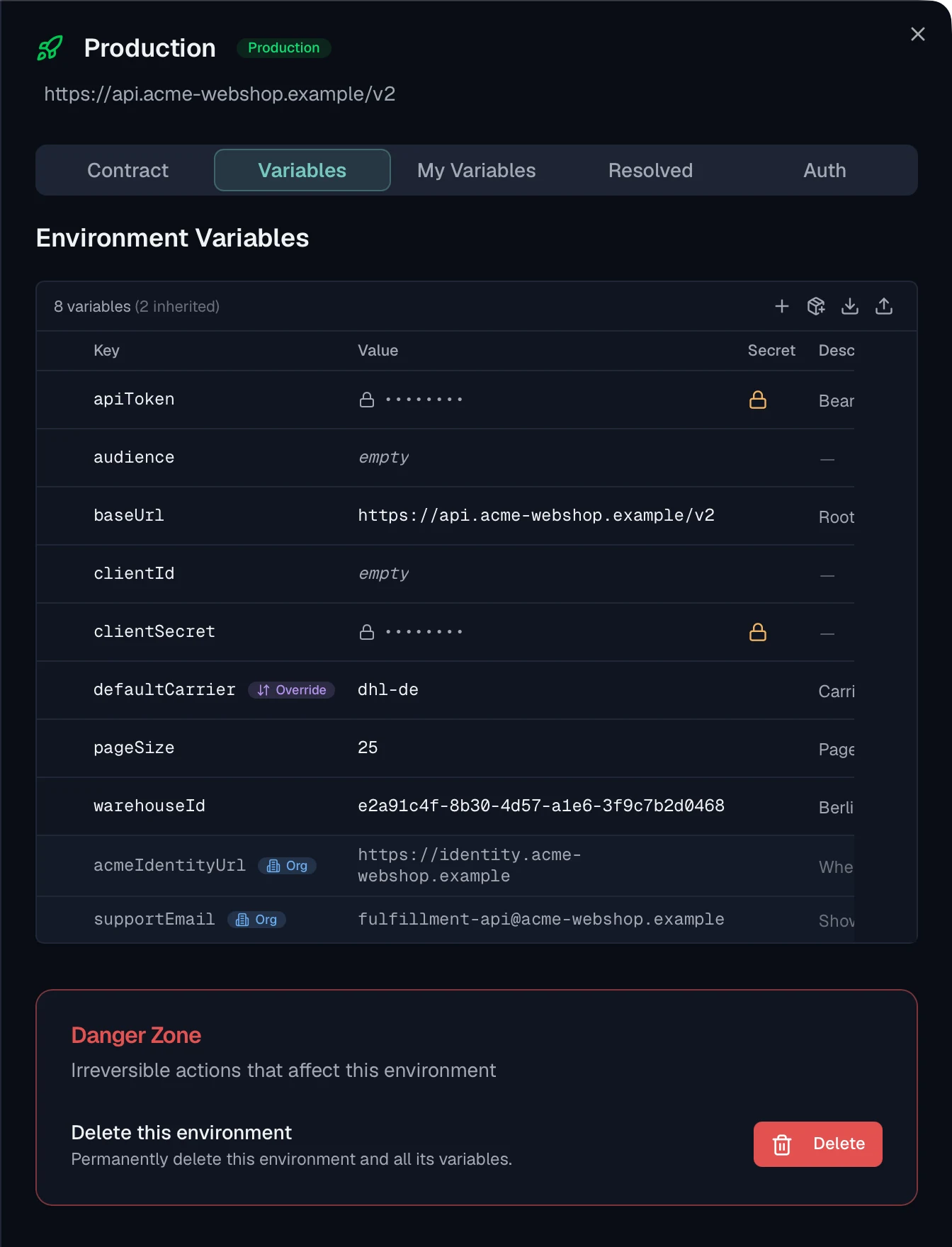
Storing it as a secret variable on the environment keeps it in one place, lets it be rotated once, and means the stored copy of a request can keep the placeholder rather than the value. That last property is what makes a check history safe to share, and it only works if the values marked as secret actually are marked as secret.
An auth failure is not an outage
A 401 from an expired credential and a 503 from a broken service are both failed checks, and treating them as the same event is how token rotation becomes a night-time incident.
Separating them costs very little. The monitor already knows whether the credential could be resolved and what status came back. An authentication failure can therefore carry its own label, go to a different channel and stay out of the alert that pages somebody. The signal is genuinely different, because one of them says your service is broken and the other says your monitoring is.
In Routebase
Linking a monitor to an environment applies that environment's variables and authentication to every check, so a target written as {{baseUrl}}/shipments resolves and the request is signed with the environment's configured scheme. Basic, Bearer, API key, OAuth2 and JWT are all applied automatically, and a static header you set on the monitor itself takes precedence over the one the environment would have sent.
Failed checks record a structured reason, and an authentication failure gets its own badge instead of looking like an outage. That covers both cases, whether the environment's auth could not be resolved at all or the target answered 401 or 403. In the request stored with a drift record, values from secret variables are never substituted in the first place. Header names that can carry a credential have their values withheld as well, and a key passed in the query string is stored as redacted.
See Monitors for the environment link and Variables for how secrets are stored.
Frequently asked questions
Should API monitors use authentication?
Yes, because an unauthenticated request to a protected endpoint tests your authentication layer rather than the endpoint behind it. A 401 arriving reliably every minute proves that the gatekeeper works and says nothing about whether the handler, the database or the upstream provider are healthy. Use a real credential with the narrowest scope that still reaches the code you want to watch.
How do you store credentials for a monitor?
Keep them as secret variables belonging to the environment rather than typing them into the monitor itself, so the value is stored once, is never printed back and can be rotated in one place. A credential pasted into a header field or a target URL ends up copied into check history, diffs and screenshots, and it is very hard to get back out of all of them.
Why does my monitor suddenly return 401?
Almost always because the credential expired or was rotated, which is the single most common cause of a monitor failing while the service is fine. Treat that as its own failure category rather than as downtime, because otherwise a routine token rotation turns into a night-time incident. The fix is a credential that refreshes itself, or a rotation process that includes the monitoring identity.
Should monitoring traffic be exempt from rate limits?
Usually it should be counted like any other traffic, because a monitor that cannot be rate limited also cannot tell you that your rate limiting is broken. What you should avoid is a monitoring identity that shares a quota with a real consumer, since a busy afternoon then produces 429s that look like an API problem and are a bookkeeping problem.
Last reviewed by The Routebase Team.