
API Documentation: A Complete Guide
What API documentation is made of, why it drifts away from the API it describes, what separates documentation people use from documentation they abandon, and how to publish it.
Your API documentation is the only part of your API that most people meet before they decide whether to use it. That makes it a product surface, and it is usually maintained like an afterthought.
This guide covers what belongs in API documentation, how to write the parts that a generator cannot write for you, how to keep it true while the API keeps moving, and how to publish it. Every chapter stands on its own, so you can start with the one that matches your situation.
Three layers that do different jobs
Almost every complaint about API documentation comes from one layer being asked to do another layer's work.
The reference is the complete, mechanical description of the surface, meaning every endpoint, every parameter, every response and every error. It is looked at rather than read, it has to be exhaustive, and it is the layer a machine can generate from your contract.
The guides walk one reader through one task, from an empty editor to a working call. They are read once, they are allowed to be opinionated, and they are the layer that decides whether somebody gets to their first success today or next week.
The concepts explain the model behind the API. A reader who does not know what your API means by an order, an idempotency key or a webhook delivery attempt will misuse endpoints that are documented perfectly.
Why documentation drifts
In most setups the documentation is a copy. The API is defined in one place, usually in code or in an OpenAPI document, and it is described somewhere else in prose that a person typed.
Two copies of the same fact only stay equal while somebody keeps making every change twice. That person is busy during exactly the releases where the change matters most, so the gap opens quietly and nobody finds out until a consumer builds against a field that no longer exists.
The fix is not more discipline. The fix is removing the second edit wherever the fact is mechanical, which is what generated reference documentation does, and then spending the recovered attention on the writing that no generator can produce.
What separates documentation people use
Four properties show up in every set of docs that developers actually like, and none of them is about visual design.
The first call works. A reader who can paste one request and get a real response inside five minutes will forgive a lot afterwards. A reader who is still hunting for a base URL after twenty minutes is already evaluating somebody else.
Every error has a way out. An error table that lists status codes without saying what caused each one and what to do next is a list of bad news.
Examples are real. A response example that was written by hand two releases ago is worse than no example, because a reader trusts it and builds against it.
The answer is where the question is. Auth belongs on the endpoint that needs it, the retry rule belongs next to the rate limit header, and the migration note belongs on the deprecated field.
Documentation, developer portal, API reference
The three terms get used interchangeably, and the distinction that matters is small.
Documentation is the content. An API reference is the generated layer of it. A developer portal is the site that carries the content for external readers, usually with search, a version switcher, code samples, a playground and your own branding. Teams with a public API tend to say developer portal, while teams with an internal API tend to say docs, and both mean the same body of work.
The real decision behind the word is not which one you build. It is who hosts the result, which publishing and hosting covers.
The short answer
If you take one rule away, take this one. Generate everything that can be derived from your contract, write the part that cannot, and publish both from one place so there is never a second copy to forget.
The rest of the guide is that rule taken apart.
| Chapter | Answers |
|---|---|
| What belongs in API documentation | The pages nearly every API needs, and what each one has to deliver |
| How to write it | Summaries, descriptions, examples, enums and errors that answer the real question |
| Keeping it up to date | Generated reference, pinned snapshots, doc versions and changelogs |
| Interactive documentation | What a playground must do, which servers it may show, and what never belongs in docs |
| Documentation for agents | The llms.txt convention, Markdown twins and what an agent can do with them |
| Publishing and hosting | Subdomains, your own domain, internal against public, and taking a version back |
| Docs as code | Markdown in the repository against an editor in the portal, and what syncing costs |
| Measuring documentation | Failed searches, reader feedback and the numbers worth acting on |
| Structure and navigation | Trees against flat lists, search, versions and branding that stays out of the way |
| Choosing a tool | The criteria that decide this, without a vendor list |
In Routebase
Routebase builds the documentation portal out of the same workspace the API lives in. Written pages and generated API references sit in one content tree, so a guide about pagination and the endpoint it describes are two nodes of the same version rather than two systems.
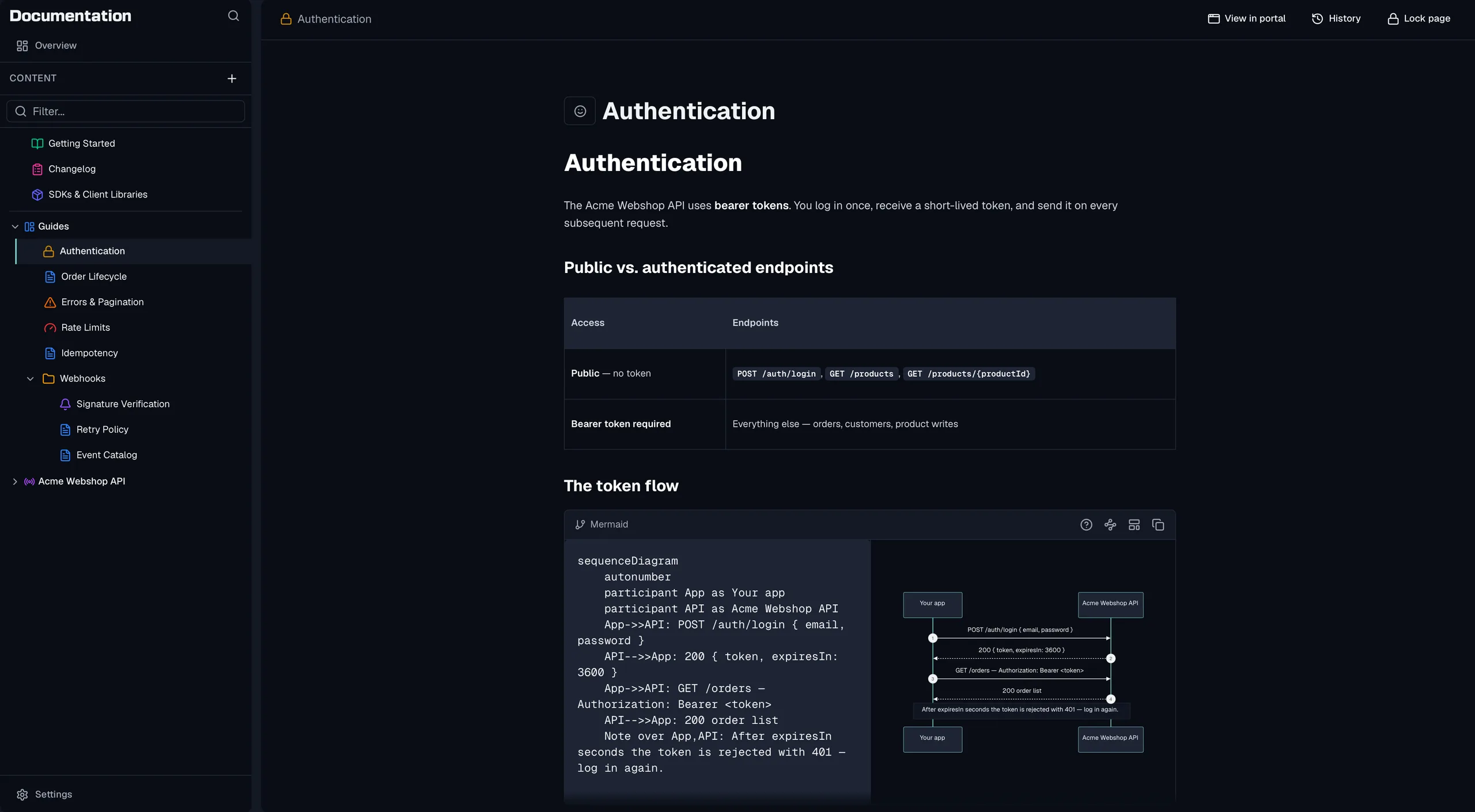
The reference comes from a published specification version rather than from prose, the portal carries your branding on your own domain, and every build also emits the machine-readable files an agent can read. Start with the Documentation Overview in the product documentation, or read on. The API documentation feature page has the short version of how the portal fits into the rest of the lifecycle.
Frequently asked questions
What is API documentation?
API documentation is everything a developer needs to call your API successfully without asking you. It has three layers that do different jobs. The reference lists every endpoint, parameter, response and error. The guides walk somebody through a task from start to finish. The concept pages explain the model behind the API, meaning what an order is, what a webhook delivery is and what happens when one fails.
What should API documentation include?
Beyond the endpoint reference, most APIs need a Getting Started page that ends in a working first call, an Authentication page, and a page listing the environments and base URLs. After that come an error reference with a way out of every error, rate limits with a retry strategy, webhooks with signature verification, client libraries where they exist, and a changelog. Each of those answers a question that otherwise reaches your support inbox.
Why does API documentation get out of date?
Because in most setups the documentation is a copy. The API is defined in one place and described in another, so every change has to be made twice by somebody who remembers to do it. Generating the reference from the contract removes the second edit, and what remains is the writing that no generator can do for you.
What is the difference between API documentation and a developer portal?
The words are used for the same thing in most conversations. Documentation is the content, while a developer portal is the site that carries it, usually with search, a version switcher, a playground and your branding on top. If your API has external consumers you end up needing both, and the decision is not which one to build but who hosts the result.
Last reviewed by The Routebase Team.